
What Aida can and can't do
Updated Friday 13 November
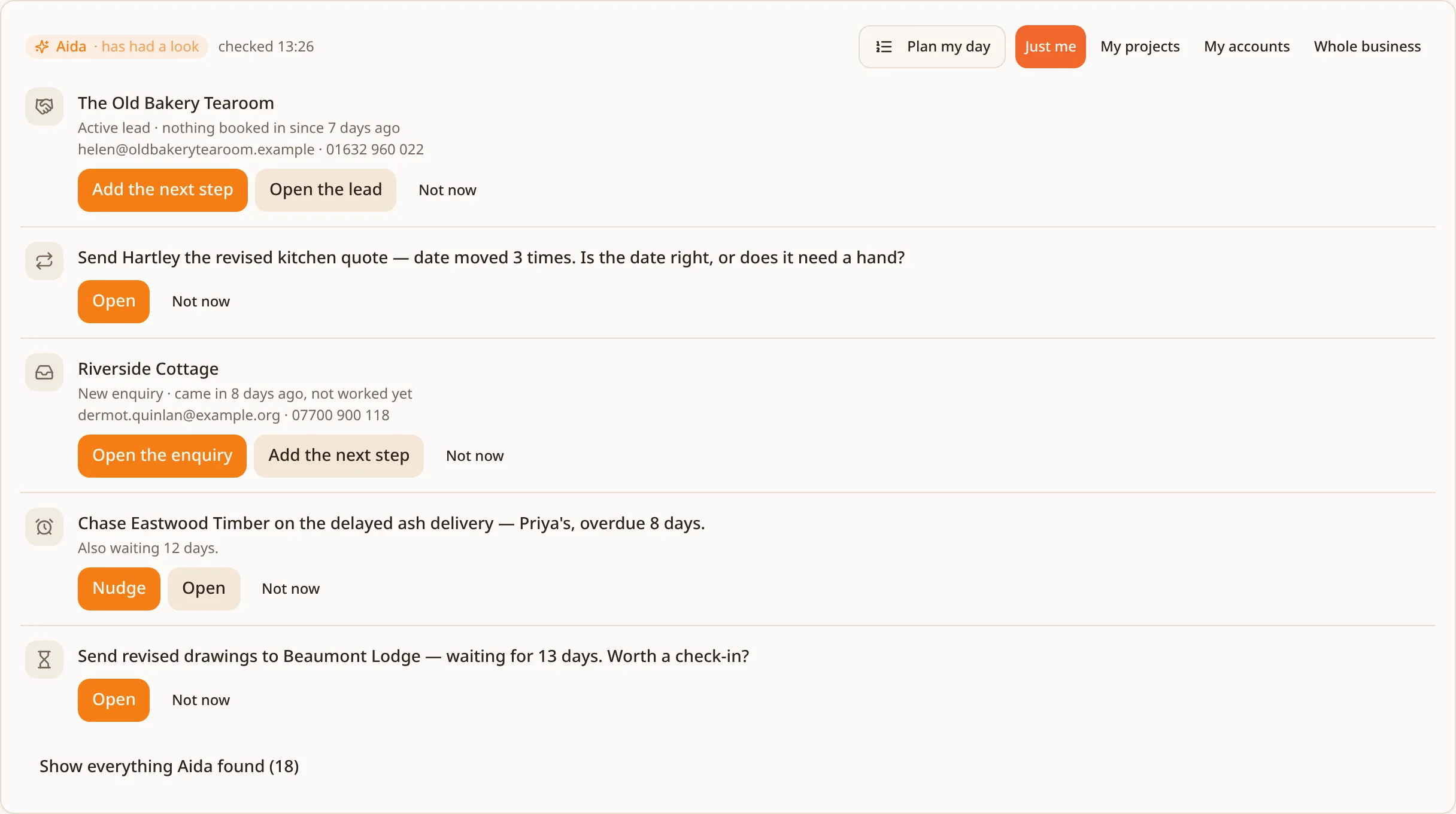
On My day, Aida's brief shows what needs a look.
What she does
- On My day, Aida's brief lists what needs a look, by name, each with a button to deal with it: your tasks that have waited a week, are stuck, or keep having their date moved; decisions waiting on you; work you've handed out that's overdue, stuck or being passed around; live customers with no next step, and website enquiries nobody has picked up; project stages running over their target.
- Plan my day: she suggests an order for what's due and overdue, with a short reason for each. Press Start and Focus takes you through them one at a time. She doesn't change any dates.
- On Mondays, each project lead gets a short summary of their projects for the week ahead.
- Ask her about your work in plain English, for example What's waiting for me? Paste in a message and she'll turn it into draft tasks for you to check.
Views
Aida's brief starts with Just me: your own work. If your role covers more, you can switch views:
- My projects: for project leads and their deputies.
- My accounts: for people who look after customers.
- Whole business: for owners and admins.
On a phone, choose the view from the View menu. Each view only shows what you can already open, and private tasks stay private. Owners and admins choose which views are switched on in Settings › General › Views in Aida's brief. The customer and project checks need Customers and Projects switched on.
What she doesn't do
- She looks at work, not people. She doesn't assess, score or rank anyone, and she isn't for making decisions about individuals, such as hiring, pay or performance.
- She doesn't see anything you can't see.
- She doesn't send messages for you or move your work on her own. The one exception is when you ask her to create a task: she creates it, with an owner and a date.
Daily limit
Aida's AI help (questions and next-step suggestions) has a daily fair-use limit of 10 per person on the free plan, and 100 for people with a paid seat. Her checks on My day aren't limited.
Where to find her
The Aida button in the top bar, or the Ask Aida box on My day.