
Choosing what you're told about
Updated Friday 23 October
Click your photo, open your Area, then Notifications.
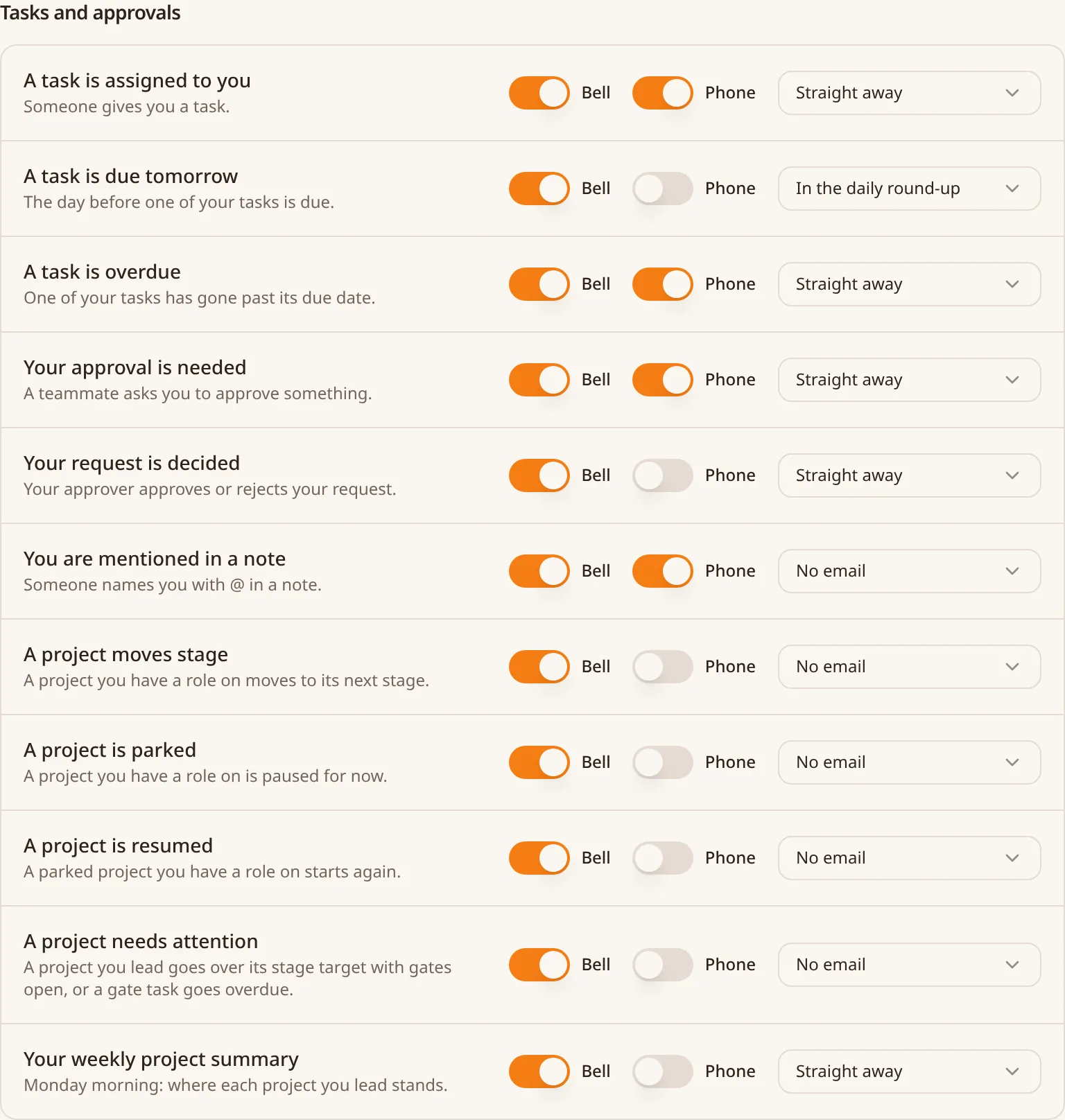
One row per kind of event, with Bell, Phone and Email.
Each kind of event has a row, for example A task is assigned to you, A task is due tomorrow or Your approval is needed. Chat has its own section: one bell switch for all chat, and an email when you've missed chat messages. For each row you choose:
| Control | What it does |
|---|---|
| Bell | Show it in the bell at the top of the app |
| Phone | Send an alert to your devices that have alerts switched on |
| Straight away, In the daily round-up, or No email |
Under Email you'll find Send me notification emails, Daily round-up with its Round-up time, and Quiet hours. Each conversation's own mute setting still applies.
A notification tells you something happened. It never creates a task by itself: the task list only holds work someone has deliberately given an owner and a date.
The red number on the bell, and on the app's icon on devices that support it, counts the alerts you haven't looked at yet.