
Getting started with Customers
Updated Friday 23 October
Customers keeps track of who you're talking to and what happens next.
| Section | What's in it |
|---|---|
| Leads | New enquiries, before they're qualified |
| Companies | The organisations you deal with |
| Contacts | The people you deal with |
| Opportunities | Deals, in a pipeline you move through stages |
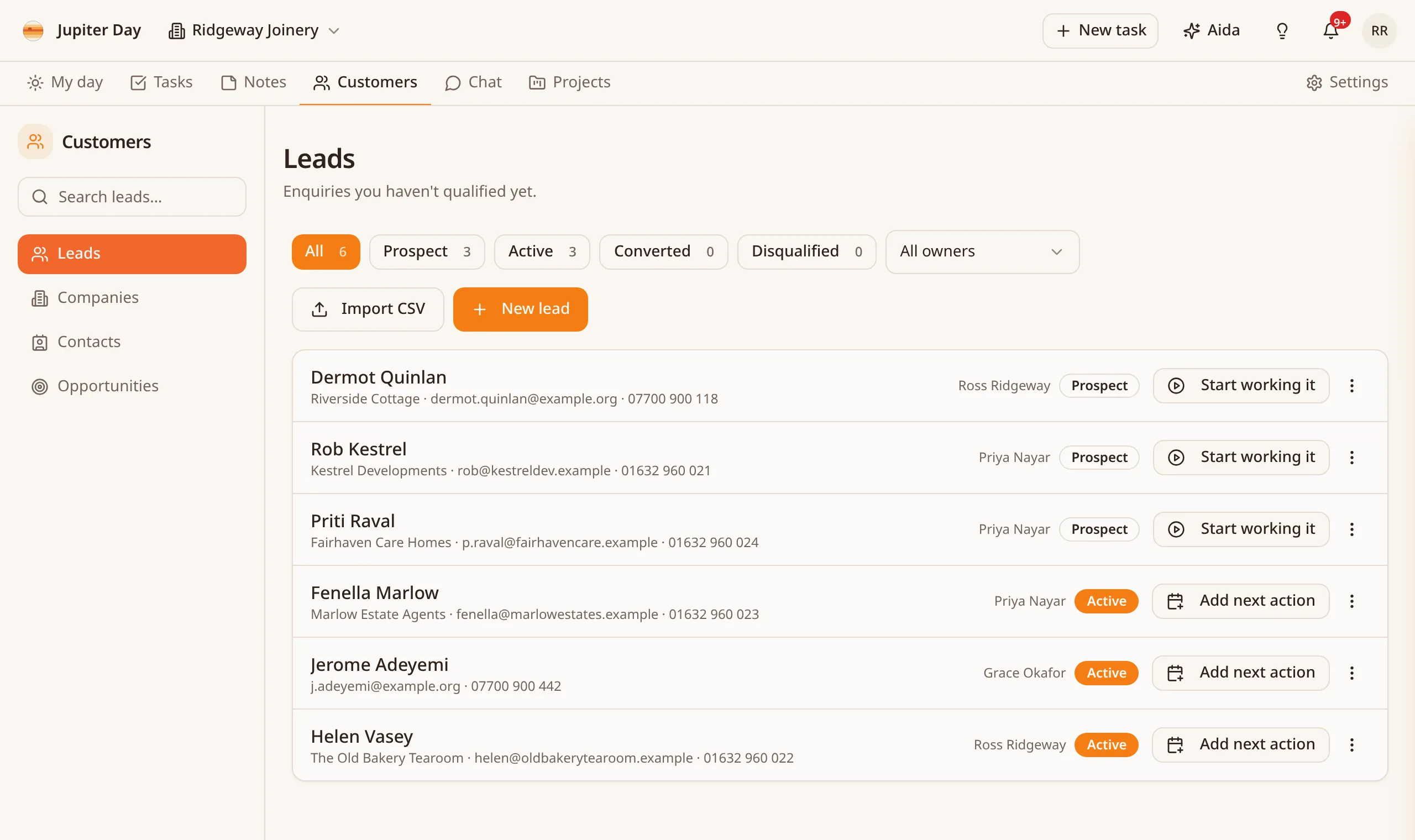
Customers › Leads.
The next-action rule
Every active or converted lead, and every open deal, must have a next action with an owner and a date. Jupiter Day won't let one go without it. That next action is a task, so it sits on the owner's list with everything else, and nothing goes quiet unnoticed. (Records brought in by import are the exception.) Choosing Start working it on a new lead makes it Active and asks for its next step.
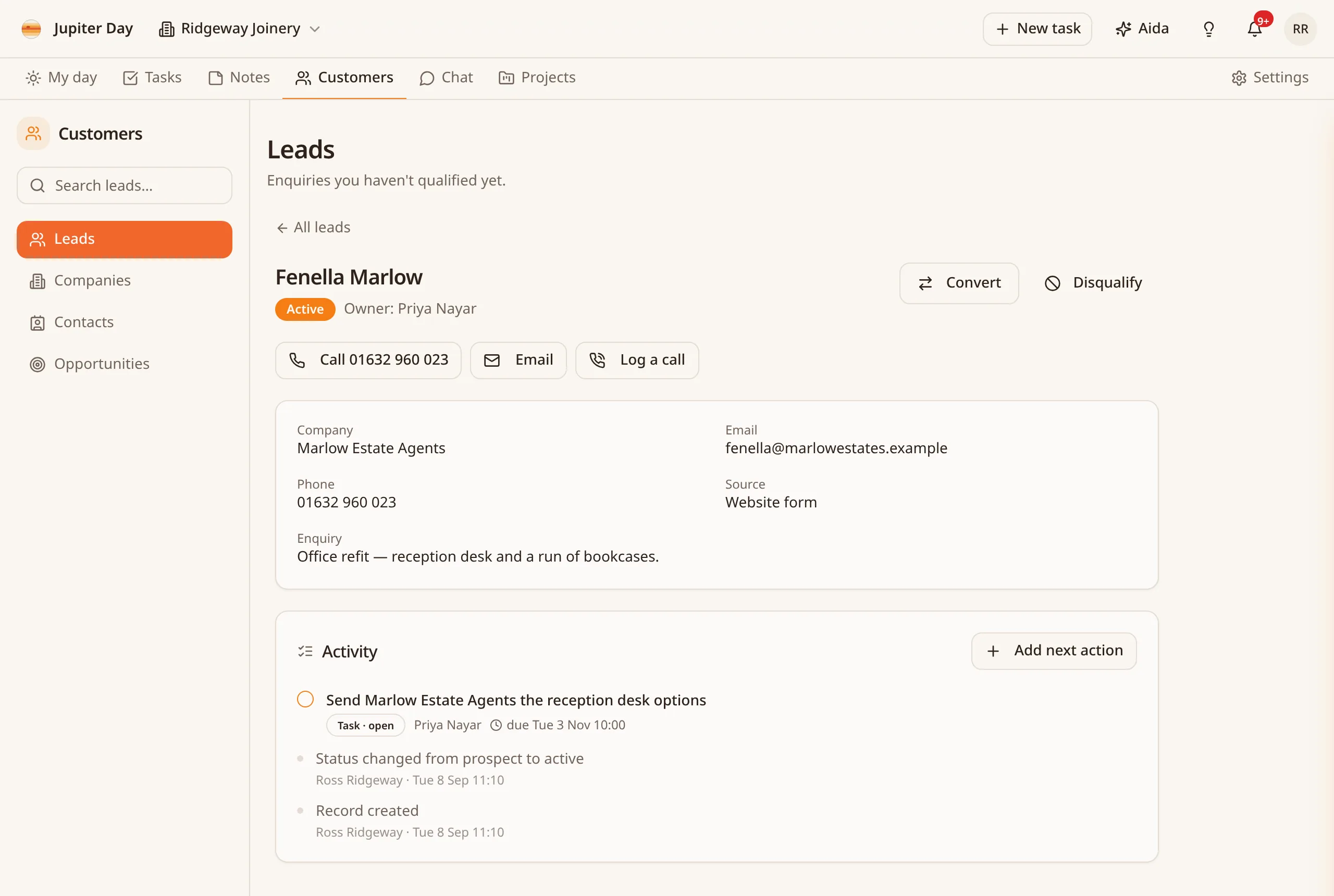
A lead, with its next action and history.
The pipeline
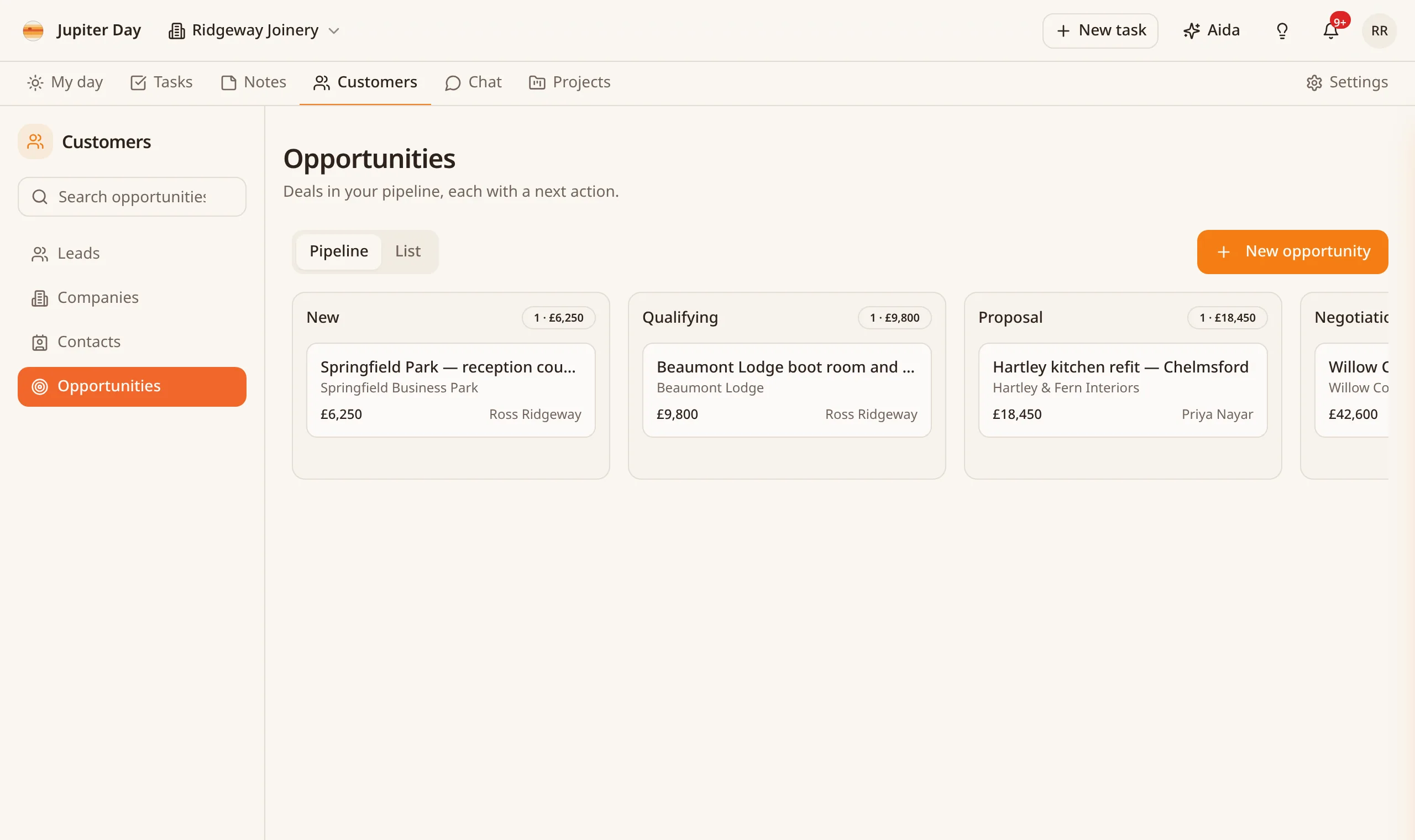
Opportunities: move a deal through the stages.
Getting data in
- Import a CSV file of leads, companies or contacts.
- From your website: if your website's own system can pass enquiries on, an owner or admin can choose Create enquiry address in Settings › Lead ingestion. It gives a web address and a secret for your website's system to send enquiries to. They arrive as leads.
Who can use it
Only people with a Customers seat. Owners and admins give seats in Settings › Team. Anyone can still be given a task from Customers without a seat.
Customers is priced per seat. See Plans and pricing.