
Notes: private, shared, and turning a line into a task
Updated Friday 23 October
Notes is where the thinking goes: meeting notes, plans and checklists.
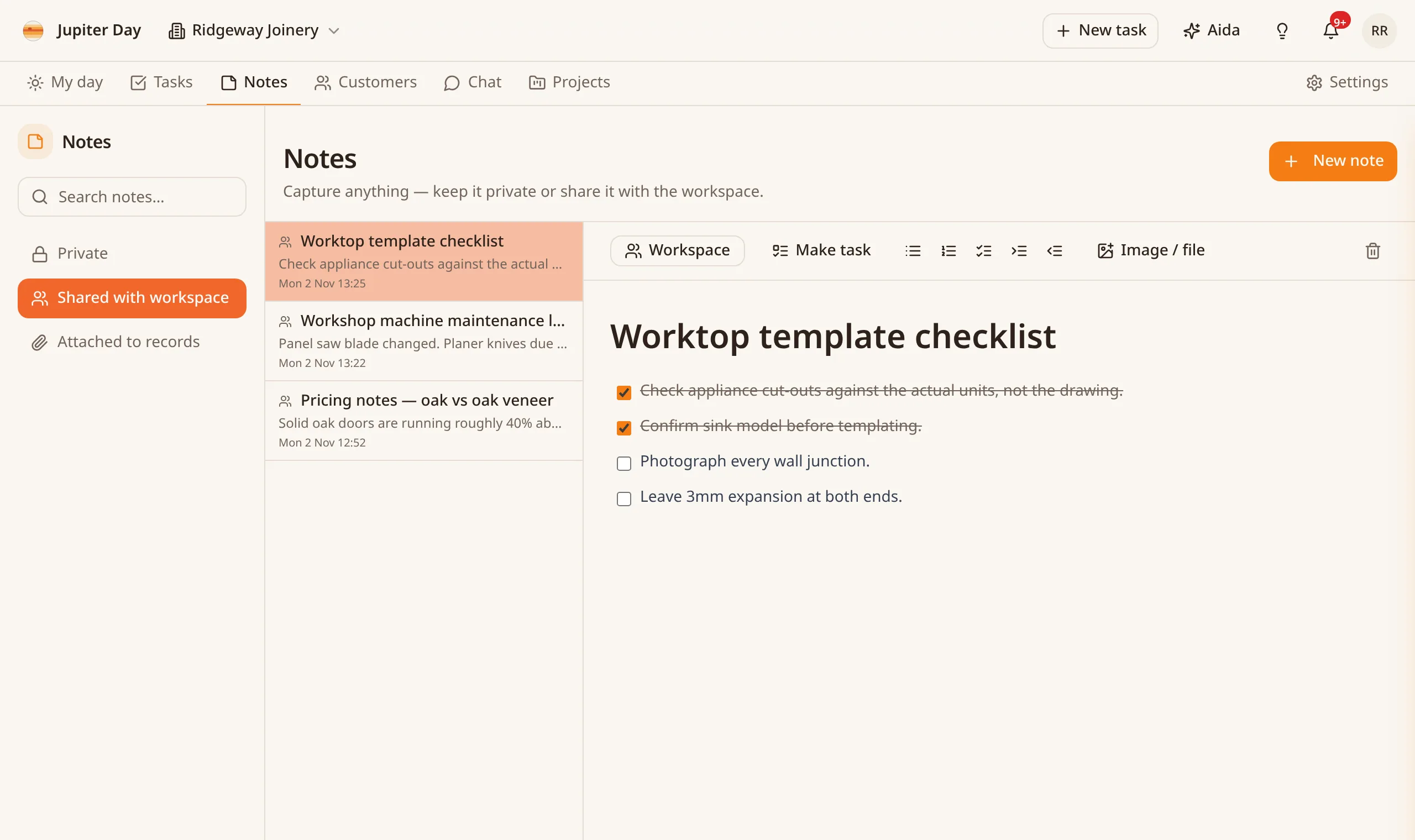
Notes: sections on the left, your notes in the middle, the note on the right.
Who can see a note
| Setting | Who sees it |
|---|---|
| Private | Only you |
| Workspace | Everyone in the workspace can read it. You, and owners and admins, can edit it. |
| Attached | Filed against a record, such as a task. Everyone in the workspace can read it. |
Notes save themselves about a second after you stop typing.
Turn a line into a task
Checklists are memory aids: ticking a box doesn't complete anything else. When a line really is someone's job:
- Select the words.
- Click Make task.
- The new-task form opens with that text, with you as the owner and the note attached. Choose who it's for and the date, then save.
Mentions, images and files
- Type @ and a name to let a colleague know.
- Add pictures (PNG, JPEG, GIF, WebP, SVG) and PDFs up to 25 MB. iPhone photos are converted automatically.