
List, board and calendar
Updated Friday 23 October
The views work on whichever list you've picked on the left: To do, Assigned to me, Assigned to others, Approvals, All open or Done.
The three small icons at the top of the Tasks page switch the view. The filters (All, Overdue, Today) work in all three.
List
The everyday view, grouped by date, or by assignee, priority, status or tag with Group by.
Board
Columns for To do, In progress, Waiting and Done. Drag a card to change its status.
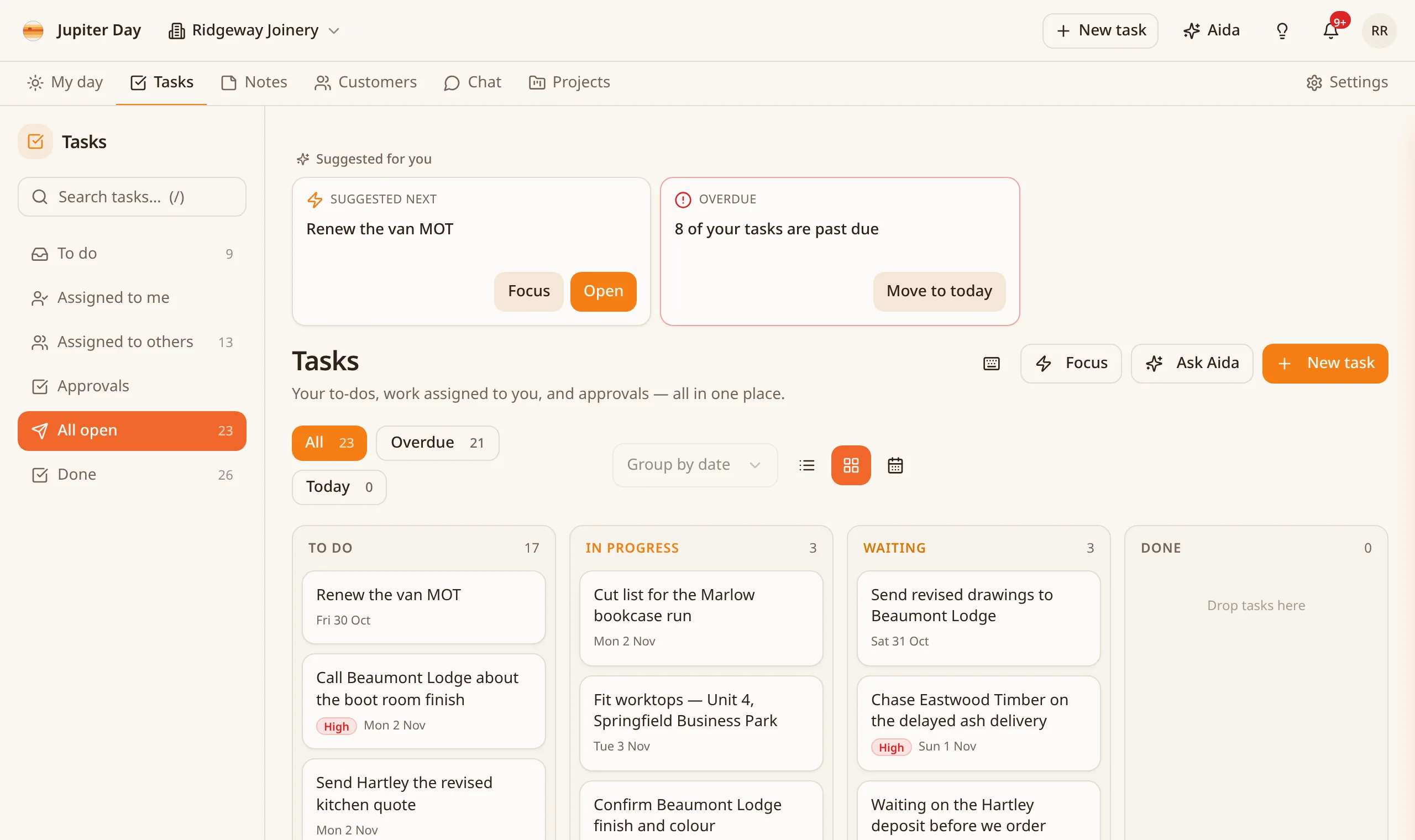
Board view: drag a card to change its status.
Calendar
A month view, Monday first. On a computer, drag a task to another day to move it; its time is kept. On a phone, the month is shown as a day-by-day list.
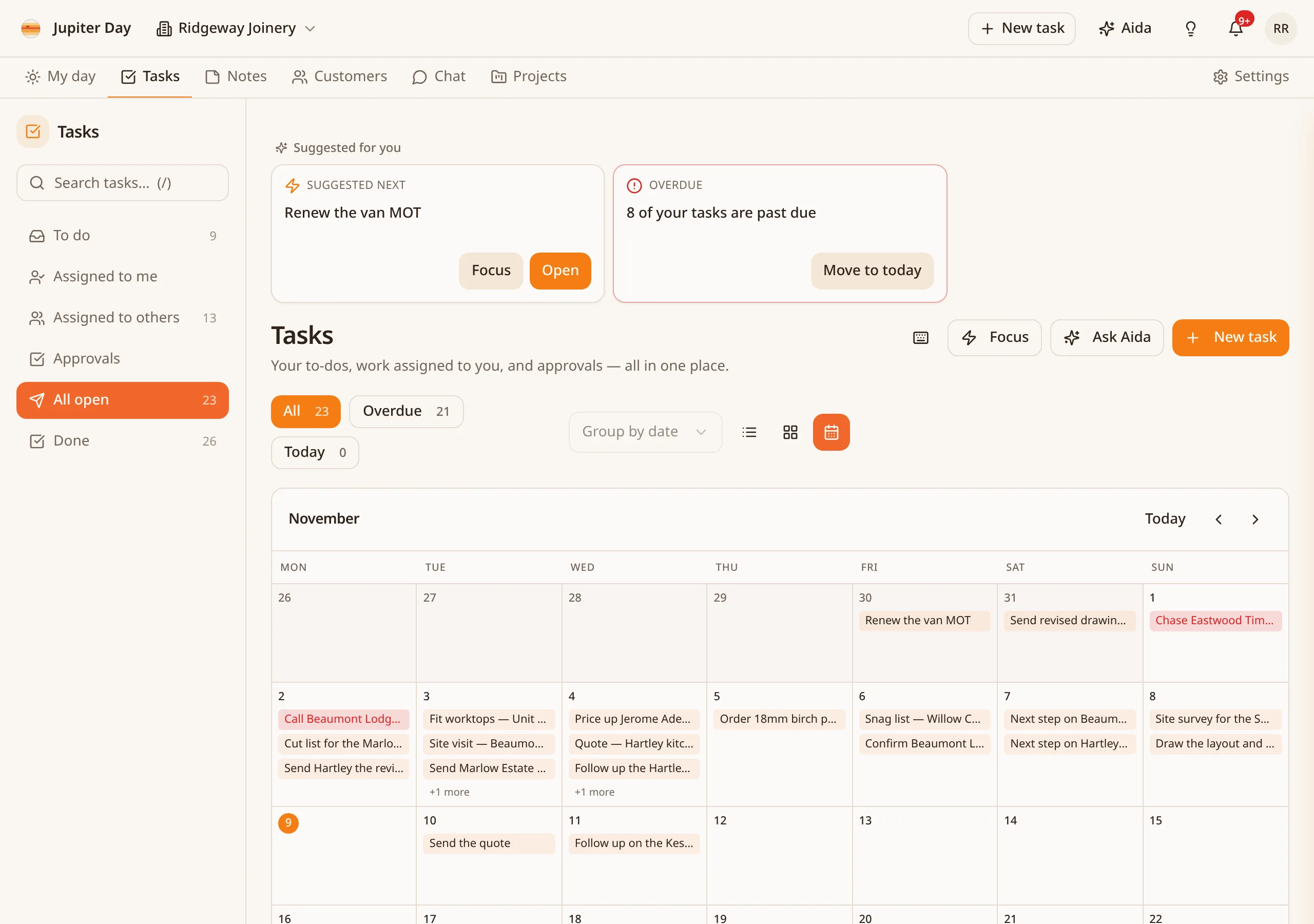
Calendar view.
Plan my day and Focus
On My day, Plan my day suggests an order for today, and Start opens Focus, which takes you through them one at a time. The Focus button on the Tasks page takes you through your tasks that are due today, overdue or have no date, one at a time.